


Advanced audio-visual technologies are turning today’s schools into vibrant educational spaces. Classroom av equipment is driving these daily innovations, fundamentally altering how students interact with complex curricula and participate in school activities. By integrating reliable audio-visual tools into daily schedules, modern educators can capture classroom attention, foster teamwork, and address varied learning preferences seamlessly.
Transforming Passive Lectures Into Dynamic Visual Experiences
Modern classroom av equipment significantly improves student engagement by replacing static textbook reading with immersive multimedia presentations.
Through high-definition interactive touch displays, teachers can project vibrant animations, streaming documentary segments, and dynamic concept maps that break down difficult academic ideas. These collaborative digital screens naturally draw student focus, turning ordinary instructional time into active participation sessions where pupils answer live quizzes and manipulate digital diagrams together.
Rethinking traditional teaching methods allows schools to move beyond simple lectures. When an educator introduces a lesson on geography or historical architecture, displaying an interactive 3D model allows the entire room to examine the subject from multiple angles. This multimedia approach converts passive listeners into active participants, making daily lessons much more memorable and effective.

Expanding Hands-On Spatial and Virtual Learning
Hands-on digital manipulation represents one of the most powerful pedagogical advantages of contemporary school technology integrations.
Students can directly annotate shared digital workspaces, manipulating virtual objects during science laboratories or mathematics problem-solving sessions. This direct interaction enhances cognitive retention, encouraging critical thinking and collaborative problem-solving across diverse subjects.
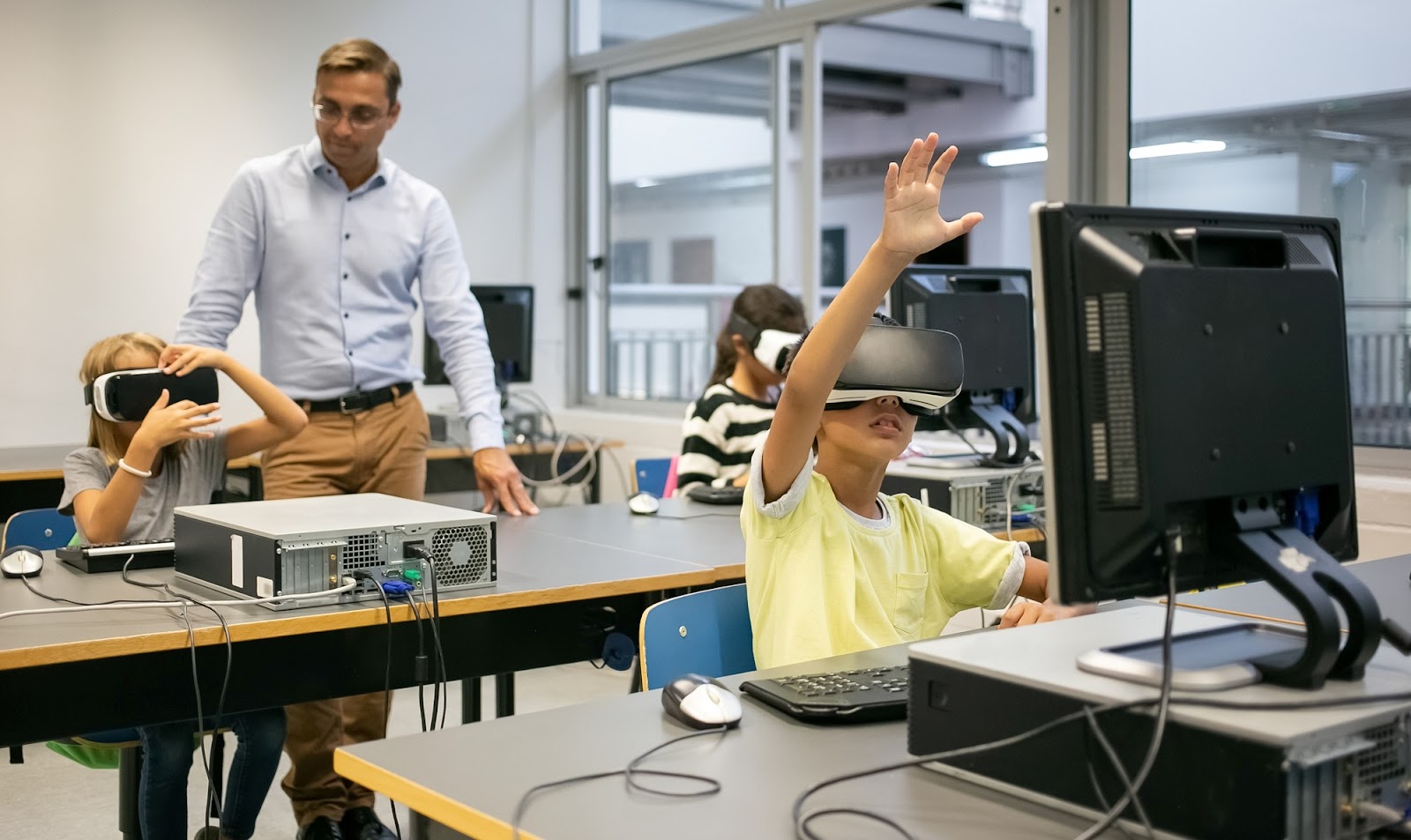
Spatial computing applications and virtual reality headsets allow learners to experience microscopic cellular structures or planetary orbits up close without leaving their desks. These immersive activities make abstract theories tangible for every participant. Real-time multi-user whiteboarding also enables students to contribute simultaneous edits during group assignments, fostering a truly collective workspace.
Accommodating Visual, Auditory, and Accessible Learning Needs
Classroom av equipment caters to diverse student populations by delivering instructional content across multiple sensory channels.
Detailed charts, color-coded diagrams, and video demonstrations appear clearly on high-resolution panels to support visual learners, while ceiling-mounted classroom sound reinforcement systems distribute clear audio evenly so auditory learners never miss a spoken instruction.
This multi-sensory adaptability guarantees equitable access for all pupils to absorb information comfortably. Modern audio systems and visual interface tools also incorporate live closed-captioning, text enlargement features, and instant translation software, ensuring students with hearing impairments or English language learners thrive alongside their peers.
Building Global Connections Through Video Conferencing Networks
Classroom av equipment promotes interpersonal cooperation and communication through shared digital displays and video conferencing networks.
Tools like cloud-connected interactive whiteboards help students collaborate by sketching joint brainstorming mind maps and saving digital notes for ongoing group projects. This collaborative workflow builds essential modern workplace communication skills alongside core academic mastery.
Video conferencing capabilities also facilitate cross-cultural exchanges with partner schools across different countries. Through these live virtual connections, students communicate with international peers, participate in joint research projects, and broaden their global perspective.

Balancing Hardware Compatibility, Funding, and Staff Training
Implementing district-wide audio-visual upgrades requires careful administrative planning to resolve hardware compatibility, upfront capital limits, and educator onboarding hurdles.
The table below highlights typical implementation hurdles and their practical school-district solutions:
| School District Challenge | Operational Resolution |
|---|---|
| System Compatibility Friction | Standardize procurement around device-agnostic software ecosystems and establish scheduled firmware update cycles. |
| Educator Technical Confidence | Provide continuous peer-led professional development workshops focusing on daily classroom workflow integration. |
| Capital Budget Constraints | Leverage state educational modernization grants, corporate technology partnerships, and local bond initiatives. |
The academic advantages of deploying reliable classroom av hardware far outweigh initial operational hurdles. With professional installation and dependable technical assistance, school leaders can eliminate classroom friction and ensure a smooth transition toward modernized digital instruction.
Integrating Smart Software and Spatial Computing Trends
As educational technology continues to evolve, the future of classroom av equipment is shifting heavily toward intelligent software and spatial computing environments.
Emerging tools include lightweight augmented reality glasses for science exploration and smart transcription software that automatically compiles comprehensive lesson notes for absent students. These innovations allow learners to review complex laboratory simulations and historical reconstructions safely and at their own personal pace.
When evaluating how sustained digital interaction drives user engagement over long intervals, institutional leaders often study data patterns similar to those outlined in guides detailing the top features of a customer engagement platform for retention to understand interface habits.
Core Strategies for Successful School AV Deployment
To maximize educational returns on school technology investments, administrators should follow structured deployment methodologies.
First, conduct a comprehensive instructional needs assessment across different grade bands to determine whether interactive flat panels, specialized audio amplifiers, or wireless casting adapters are most urgently required. Second, mandate professional mounting and wiring by certified technicians to prevent connectivity downtime. Finally, encourage teachers to balance digital screen usage with traditional hands-on activities to maintain a healthy instructional rhythm.
Frequently Asked Questions About School Audio-Visual Systems
What hardware is considered classroom AV equipment?
Classroom AV equipment encompasses interactive touch panels, laser projectors, student response microphones, ceiling speakers, and wireless casting hubs built for school environments.
How does audio-visual technology directly boost student focus?
Audio-visual technology replaces monotonous lectures with vivid multimedia content, helping visual and auditory learners grasp difficult concepts faster through active participation.
Can school AV systems accommodate diverse learning styles?
Yes, visual learners benefit from bright graphics and video feeds, while auditory learners thrive through amplified room sound systems and interactive audio tools.
What are the primary hurdles when installing school AV networks?
Common hurdles include managing device compatibility across various operating systems, securing adequate capital funding, and organizing effective teacher training sessions.
Are modern interactive whiteboards difficult for teachers to master?
Modern interactive whiteboards feature intuitive smartphone-like interfaces, though structured professional development ensures educators can utilize advanced features efficiently.
How do virtual reality and augmented reality integrate into school AV?
AR and VR tools allow students to experience immersive virtual field trips, hazardous chemical simulations, and historical reenactments safely from their desks.
Where do public school districts typically find funding for AV upgrades?
Districts routinely secure funding through state educational technology grants, federal modernization programs, corporate sponsorships, and community bond measures.
Institutional Disclaimer
Educational technology standards, hardware specifications, and pricing models change frequently across the industry. School administrators and educators should verify final product compatibility, warranty coverage, and hardware availability directly from official manufacturers before making final purchasing decisions.


