

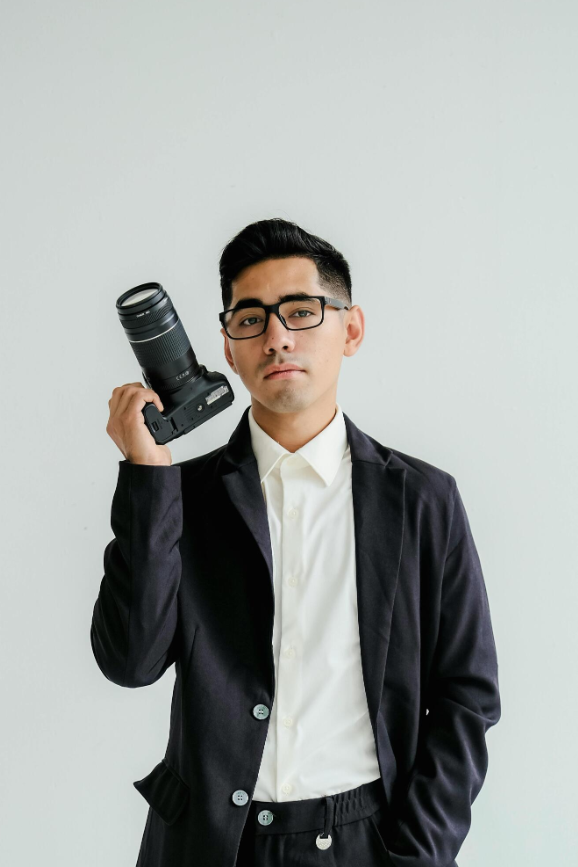
Securing professional business casual headshots to improve your online presence no longer requires paying a high price for a traditional studio photographer or settling for an awkward snapshot. The modern shift toward remote work and digital networking makes a friendly, approachable photo far more effective than a stiff corporate suit. Advanced artificial intelligence photography tools provide a practical alternative, allowing busy professionals to generate polished portraits right from their computers or smartphones. Understanding how these tools function helps ensure the final result looks authentic rather than overly processed or artificial.
Why Business Casual Matters Online Today
Business casual headshots outperform traditional formal portraits in modern digital spaces by striking an ideal balance between professional competence and approachable warmth.
First impressions on platforms like LinkedIn, company bio pages, and freelance marketplaces happen in seconds. A friendly expression combined with smart-casual attire signals to clients, recruiters, and colleagues that an individual is both capable and easy to collaborate with. Traditional studio portraits often feel intimidating or outdated, whereas a well-crafted business casual portrait establishes an immediate personal connection. When people look at a modern profile picture, they want to see a human being they can talk to easily, not a rigid executive staring down from an unattainable pedestal.
Furthermore, remote teams and digital-first companies value culture fit and collaborative spirit above rigid hierarchy. A business casual aesthetic communicates openness and adaptability. It shows that you understand professional standards while remaining relaxed enough to engage in casual daily communication. This visual tone is especially critical for consultants, project managers, remote engineers, and creative professionals who rely heavily on digital trust to win contracts and build lasting professional relationships.
Essential Wardrobe and Lighting Setup for Synthetic Portraits
Creating a convincing business casual headshot with artificial intelligence requires balancing technical polish with natural personal characteristics like clothing texture and lighting.
Selecting the right garments is the first priority; solid-colored sweaters, blazers layered over simple t-shirts, or collared shirts convey professional polish without looking rigid. Bright patterns, loud neon colors, and heavy branding tend to distract the eye and often confuse artificial intelligence algorithms during the rendering phase, leading to warped fabric textures or bizarre collar shapes. Sticking to classic neutral tones like navy blue, charcoal gray, olive green, or soft beige ensures the generated clothing looks sharp and timeless.
Lighting also plays a massive role in whether an AI-generated image looks real. Natural indirect light or soft studio lighting produces clean facial shadows, whereas harsh overhead lighting creates an unnatural contrast that AI tools sometimes struggle to correct. When feeding source images into a generator, selecting photos taken near a large window on an overcast day provides the software with balanced exposure data. This eliminates deep shadows under the eyes and nose, giving the resulting model a clean foundation to work from.
Navigating the Source Photo Upload and Generation Workflow
Navigating the image generation process carefully prevents common artificial intelligence pitfalls like distorted hands, waxy skin smoothing, or uncanny valley distortions.
Users typically start by uploading a batch of ten to twenty source photos showing various facial angles, lighting conditions, and expressions. Selecting clear photos without sunglasses or heavy filters gives the algorithm accurate reference data for facial structure. Avoid uploading group shots or low-resolution selfies where facial features are obscured, because poor source material directly translates into blurry or distorted output models.
Once the generator produces initial options, look closely at the eyes, teeth, and ear symmetry, as these areas often reveal digital manipulation if the underlying source photos were blurry or poorly lit. Many platforms allow users to fine-tune specific parameters or regenerate individual frames that look slightly off. Taking the extra time to manually inspect and select only the most authentic-looking variations protects your personal brand from looking manufactured or fake.
Evaluating Platform Privacy, Pricing, and Feature Sets
Choosing a reliable artificial intelligence headshot generator requires evaluating data privacy policies, turnaround times, pricing structures, and style customization options.
Reputable platforms explicitly state how long they store uploaded source photos and whether user images train public models. Privacy should always be a top priority when dealing with biometric data like facial scans. Pricing models vary from one-time credit purchases to monthly subscriptions, making it wise to check whether unused credits roll over or expire immediately.
Additionally, exploring how well a platform handles diverse skin tones, hairstyles, and wardrobe options ensures the final output accurately represents your professional identity. Some budget platforms struggle with accurate lighting on darker skin tones or produce unnatural hair strands, so reviewing community feedback and sample galleries before purchasing is always a smart step.
For broader technology integration insights that apply to modern digital workflows, business leaders can explore strategies through resources like enterprise artificial intelligence software to optimize their professional toolsets.
Frequently Asked Questions
Are AI business casual headshots accepted on LinkedIn?
Yes, AI-generated headshots are widely accepted on LinkedIn as long as they look natural, resemble your actual appearance, and avoid heavy digital distortions.
How many source photos do I need to upload?
Most platforms require between ten and twenty clear source photos showing different facial expressions, lighting setups, and angles for best results.
What should I wear for a business casual AI headshot?
Solid-colored blazers, neat sweaters, button-down shirts, and professional smart-casual layers work best and translate cleanly through image generators.
How long does it take to generate an AI headshot?
Turnaround times vary by platform, ranging anywhere from thirty minutes to a few hours depending on server queues and the complexity of the rendering process.
Are my uploaded photos kept private and secure?
Reliable platforms have strict privacy policies that delete your source images after processing and do not use your personal data to train public models.
Can I edit the background of my AI headshot?
Most AI portrait tools allow you to swap busy or distracting backgrounds for clean, neutral office or outdoor blur settings tailored for professional use.
Disclaimer: Artificial intelligence photography technology and platform features evolve rapidly. Readers should verify pricing, turnaround times, and data privacy policies directly on official provider websites before purchasing services.


[…] materials or digital portfolios for remote work, matching your office wardrobe with guidance on achieving professional-looking business casual headshots with AI ensures a polished personal presentation across every […]