

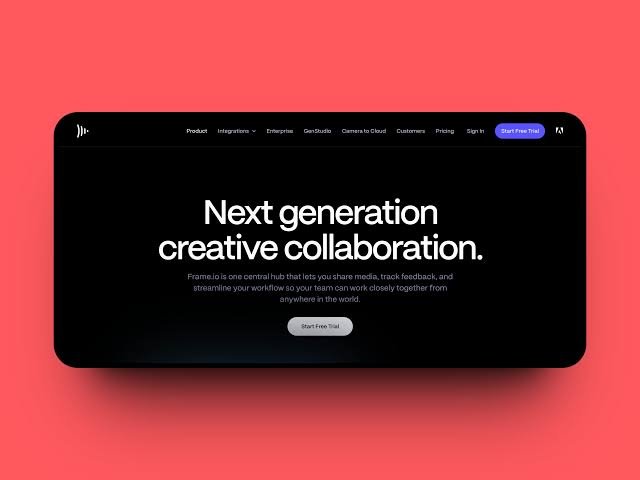
Modern creative agencies must balance demanding client expectations, fast-moving production schedules, and distributed teams working across multiple time zones. Relying on basic video calls and cluttered email threads often leads to miscommunications, missed deadlines, and endless revision loops. To maintain high standards without burning out internal teams, industry professionals turn to purpose-built video collaboration software.
Unlike general consumer video conferencing applications, these specialized collaboration platforms focus on media asset management, precise visual annotations, and asynchronous feedback loops. Adopting these digital workflows helps operations managers and creative directors ensure that every stakeholder stays aligned from initial concept to final export.
Why Standard Virtual Meeting Tools Fail Creative Teams
Standard virtual meeting tools fail to handle the complex, data-heavy file formats and precise review requirements typical of modern creative work.
When teams review rough cuts, motion graphics, or branding packages over standard web conferencing apps, compression issues and lagging audio make accurate assessments nearly impossible. Specialized video collaboration software provides high-resolution playback, frame-accurate syncing, and cloud-native proxy rendering so that editors and art directors can examine footage at its true quality regardless of their local hardware setup.
Furthermore, these platforms integrate seamlessly into broader digital ecosystems. For instance, teams that pair their media reviews with robust corporate software applications often notice a significant reduction in administrative friction across client-facing departments.
How Timeline-Anchored Feedback Transforms Post-Production
Creative agency workflows rely heavily on specific features designed to capture clear notes and maintain version control.
General chat applications make it difficult to trace which version of a video file a comment refers to, leading to costly mistakes during editing. Dedicated collaboration suites solve this by anchoring every note directly to the timeline.
| Feature | Agency Function |
| Time-Stamped Comments | Allows reviewers to leave notes at exact seconds in a video file, eliminating vague feedback like “fix the transition near the middle.” |
| Visual Annotations | Enables stakeholders to draw, circle, or drop arrows directly onto individual video frames to pinpoint specific graphical adjustments. |
| Automated Version Control | Keeps historical iterations stacked neatly in one project tree so team members never accidentally edit an outdated file. |
Bridging Geographic Gaps During Early-Stage Ideation
Remote ideation sessions require interactive digital environments that replicate the energy of an in-person whiteboard room.
Creative teams often begin projects by mapping out storyboards, mood boards, and campaign strategies together. Modern video collaboration software incorporates infinite digital canvas features, allowing copywriters, designers, and strategists to drop reference images, sketch wireframes, and vote on concepts simultaneously during live sessions. This transparency ensures that diverse voices across the agency contribute meaningfully before production begins.
Cutting Down Revision Cycles for Faster Client Sign-Offs
Unstructured client feedback frequently derails project timelines and inflates billable hours through endless revision rounds.
When clients send feedback via scattered email threads, phone calls, or PDF markup tools, editors spend excessive time interpreting contradictory instructions. Centralizing client review sessions inside dedicated video hubs forces all decision-makers to view the same centralized asset and see each other’s comments. This transparency resolves conflicting feedback internally before it reaches the editing suite, protecting creative margins and client relationships alike.
Protecting Unreleased Intellectual Property with Enterprise Security
Handling unreleased intellectual property requires enterprise-grade security measures that standard file-sharing links simply cannot provide.
Creative agencies deal with sensitive commercial campaigns, unreleased feature film trailers, and confidential product reveals long before public launch dates. Dedicated video collaboration environments incorporate robust permission controls, password-protected links, IP restrictions, and custom dynamic watermarks that display the viewer’s email address directly over the playback screen. These rigorous safeguards prevent unauthorized leaks and reassure enterprise clients that their unreleased creative assets remain strictly protected throughout every stage of post-production.
Frequently Asked Questions
What is the difference between standard video conferencing and video collaboration software?
Standard video apps focus on live face-to-face communication, while collaboration platforms are built for media review, featuring frame-accurate annotation tools, high-resolution playback, and asset management.
How does time-stamped feedback save time for video editors?
Time-stamped comments tie notes directly to specific frames in the timeline, removing the guesswork involved in interpreting vague descriptions from clients or producers.
Can clients access these video review platforms without a paid account?
Most platforms allow external clients to review files and leave annotations via secure web links without requiring them to purchase a separate seat or subscription.
Does video collaboration software handle high-resolution raw footage?
Yes, these platforms typically generate cloud-friendly proxy files for smooth browser playback while preserving the original high-resolution assets for final post-production workflows.
How do these tools integrate with existing creative suites?
Many platforms offer direct plugins for editing software like Adobe Premiere Pro and DaVinci Resolve, letting editors read and address client comments directly inside their editing timelines.
Are these platforms secure enough for unreleased commercial content?
Enterprise-grade tools utilize robust security measures, including password protection, download restrictions, expiration dates, and customizable watermarks to protect intellectual property.
Disclaimer: Software features, pricing tiers, and platform integrations evolve rapidly. Creative agencies should verify current specifications and trial options directly through official vendor websites before committing to an annual subscription.

Passionate content writer and savvy blog publisher, Aamir crafts compelling stories and insightful articles that captivate and inform. With a knack for blending creativity and strategy, they bring fresh perspectives to every piece. Dive into their world of words and discover content that resonates.


[…] often coordinate these heavy asset updates with team workflows, much like professionals who rely on video collaboration software for creative agencies to streamline multi-user video reviews before final […]