

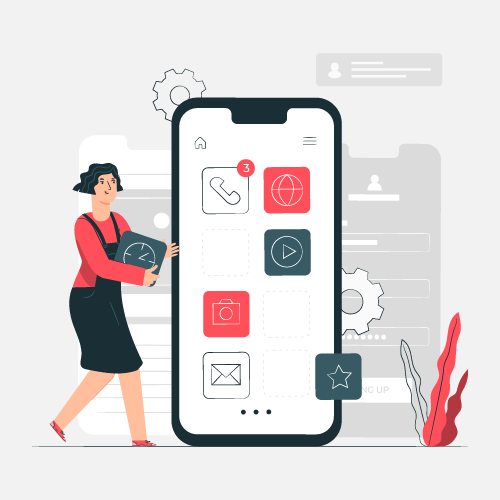
Every emerging startup has to adopt technical advancements and adapt rapidly to ever-evolving customer preferences. Businesses frequently sell products and services online through dedicated smartphone applications to capture modern digital audiences. However, the commercial success rate of any business app depends heavily on how well-optimized its User Interface (UI) and User Experience (UX) design happens to be.
When applications feature awkward layouts or frustrating navigation structures, mobile users tend to abandon them almost immediately. Industry benchmarks demonstrate that a massive percentage of smartphone owners delete apps after experiencing crashes, difficult menus, or sluggish loading speeds. Understanding these critical user behavior patterns is essential for anyone embarking on digital product creation.
Whether you are building a retail e-commerce platform or a cryptocurrency investment tool, implementing proper design choices is crucial from day one. To understand the foundational workflow before you begin designing screen layouts, development teams often look at what are the key phases of mobile app development. Careful structural planning ensures that both the visual layout and the underlying functional flow receive adequate attention.
Delivering an exceptional service to your customers relies entirely on a well-crafted mobile application. When deciding whether to hire an in-house design team or outsource work through a freelance marketplace, knowing the distinct roles of UI and UX design helps evaluate the efficiency of the final product.
Core Visual Elements That Define Smartphone Screen Layouts
User interface design creates the immediate visual connection that dictates whether a user stays inside your mobile application or closes it permanently.
When a customer opens a new smartphone utility, typography choices, color palettes, and button placements instantly communicate the professionalism of the brand. Visual consistency across every screen ensures that users do not have to relearn navigation when moving from a user profile page to an interactive inventory catalog. Responsive layouts adapt seamlessly to different screen resolutions and aspect ratios, preventing awkward text wrapping or broken touch targets on smaller device displays. Furthermore, incorporating a clean visual hierarchy guides the eye naturally toward primary action triggers, such as checkout buttons or subscription signups.
Structuring Intuitive Navigation and Touch Ergonomics
Effective user experience planning removes operational friction so customers can accomplish their specific goals without confusion or delay.
Mobile users typically operate under strict time constraints, meaning every tap, swipe, and gesture must feel natural and highly responsive. When an application features deep menu trees or hidden settings, abandonment rates spike rapidly during onboarding. Ergonomic placement of interactive elements within natural thumb zones on modern oversized smartphones prevents physical strain during extended browsing sessions. Additionally, incorporating subtle feedback indicators—such as animated progress spinners during data loading or checkmarks upon form submission—reassures users that their actions are actively registering.
Measurable Business Outcomes of Superior Digital Architecture
Investing in superior interface and experience frameworks directly influences customer retention, conversion metrics, and overall brand equity.
Applications built with user-centric principles experience significantly higher daily active engagement because individuals genuinely enjoy interacting with clean, predictable software. Reduced frustration translates directly into lower churn rates and higher lifetime customer value for subscription or transactional platforms.
| Design Discipline | Primary Focus Area | Business Impact |
|---|---|---|
| User Interface (UI) | Visuals, color theory, typography, touch buttons | Attracts initial interest and establishes brand identity |
| User Experience (UX) | Navigation flow, load speed, user journey mapping | Improves retention and drives conversion rates |
When checkout paths or onboarding wizards require fewer taps, conversion rates climb proportionally. Consumers regularly equate the visual stability and speed of a mobile application with the operational reliability of the underlying business, making design a powerful reputational shield.
Strategic Sourcing: Internal Design Teams Versus External Freelancers
Deciding how to source your design talent requires careful balancing of upfront project budgets, strict timelines, and long-term software maintenance needs.
Hiring full-time, in-house designers fosters deep cultural alignment, rapid iteration cycles, and immediate cross-functional communication with software engineers. However, this staffing model often stretches the financial limits of early-stage startups and small businesses. Conversely, partnering with independent contractors or specialized agencies provides exceptional flexibility and access to diverse technical skill sets on an as-needed basis. To ensure your chosen development partner possesses the necessary technical capabilities, exploring resources like what are the criteria for selecting the best mobile app development company? helps teams vet professional agencies thoroughly before signing contracts.
Frequently Asked Questions
What is the difference between UI and UX in mobile apps?
UI design focuses on the visual look and feel of the app, including colors, fonts, and buttons, while UX design focuses on the overall user journey, navigation structure, and ease of completing tasks.
Why is mobile UI/UX design important for startups?
Good design helps startups attract users, reduce early uninstallation rates, and build a trustworthy brand image in a competitive market.
How does responsive design affect mobile applications?
Responsive design ensures that an app’s interface adapts smoothly to various screen sizes and resolutions across different smartphones and tablets.
What role does user research play in UX design?
User research uncovers the actual needs, behaviors, and pain points of your target audience, allowing designers to build intuitive and relevant app experiences.
Should small businesses hire in-house designers or freelancers?
Small businesses with limited budgets often benefit from outsourcing to freelancers or agencies, while larger companies with ongoing design needs may prefer full-time in-house teams.
How can I improve my app’s retention rate through design?
You can improve retention by streamlining navigation, reducing load times, minimizing clutter, and incorporating helpful feedback mechanisms like progress indicators.
Disclaimer: Mobile operating systems, platform design guidelines, and user expectations evolve continuously. Project stakeholders should verify current technical specifications and interface guidelines directly from official sources like Apple and Google before finalizing production builds.

Passionate content writer and savvy blog publisher, Aamir crafts compelling stories and insightful articles that captivate and inform. With a knack for blending creativity and strategy, they bring fresh perspectives to every piece. Dive into their world of words and discover content that resonates.


